When scaling the number of seller accounts across platforms, using proxies becomes extremely important to avoid linking between accounts and reduce the risk of being banned. Proxies not only need to be functional but also “clean” and suitable for the intended purpose. So, how do you check if your proxy is “good”? Let’s go through the detailed steps below.
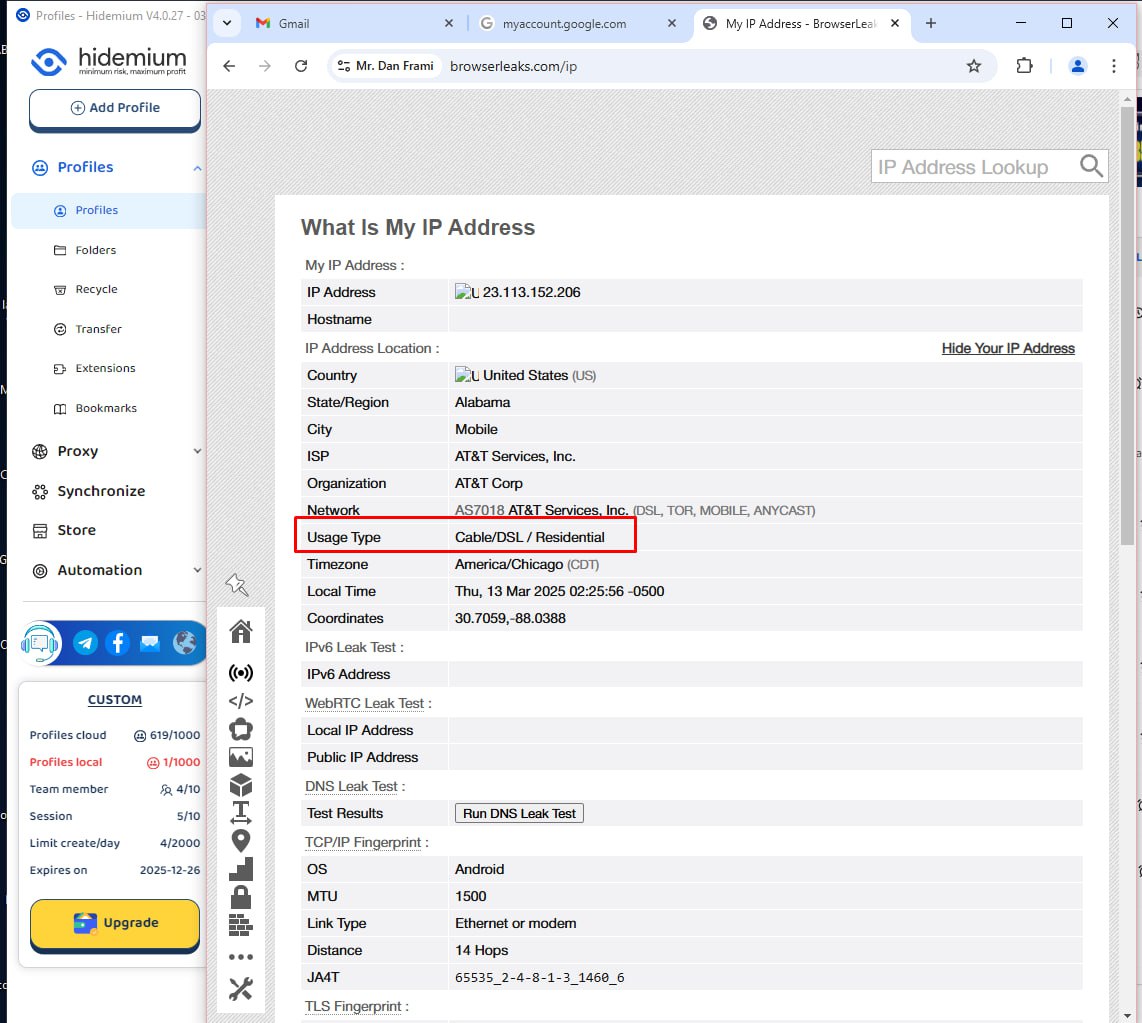
Step 1: Identify Proxy Type via BrowserLeaks
First, you need to know what type of proxy you’re using, ranked from “best” to worst: mobile proxy > residential proxy > business proxy > datacenter proxy. The proxy type directly impacts its reliability and ability to bypass TikTok’s verification systems.
How to check:
- Visit the website: My IP Address - BrowserLeaks.
- Connect the proxy you want to check to the browser or emulator you’re using.
- Refresh the BrowserLeaks page and scroll down to the “Usage Type” section.
- Observe the result:
- MOB (Mobile): This is a mobile proxy, the “best” type, the least suspicious as it’s linked to actual mobile devices.
- RES (Residential): Residential proxy, also very good, linked to a real user’s IP address through an ISP.
- COM (Commercial/Business): Business proxy, slightly less reliable.
- DCH (Datacenter): Datacenter proxy, cheaper but easy to detect and block.
Note: It’s recommended to prioritize mobile or residential proxies for long-term safety. Datacenter proxies are cheaper but come with high risk, especially when managing a large number of accounts.
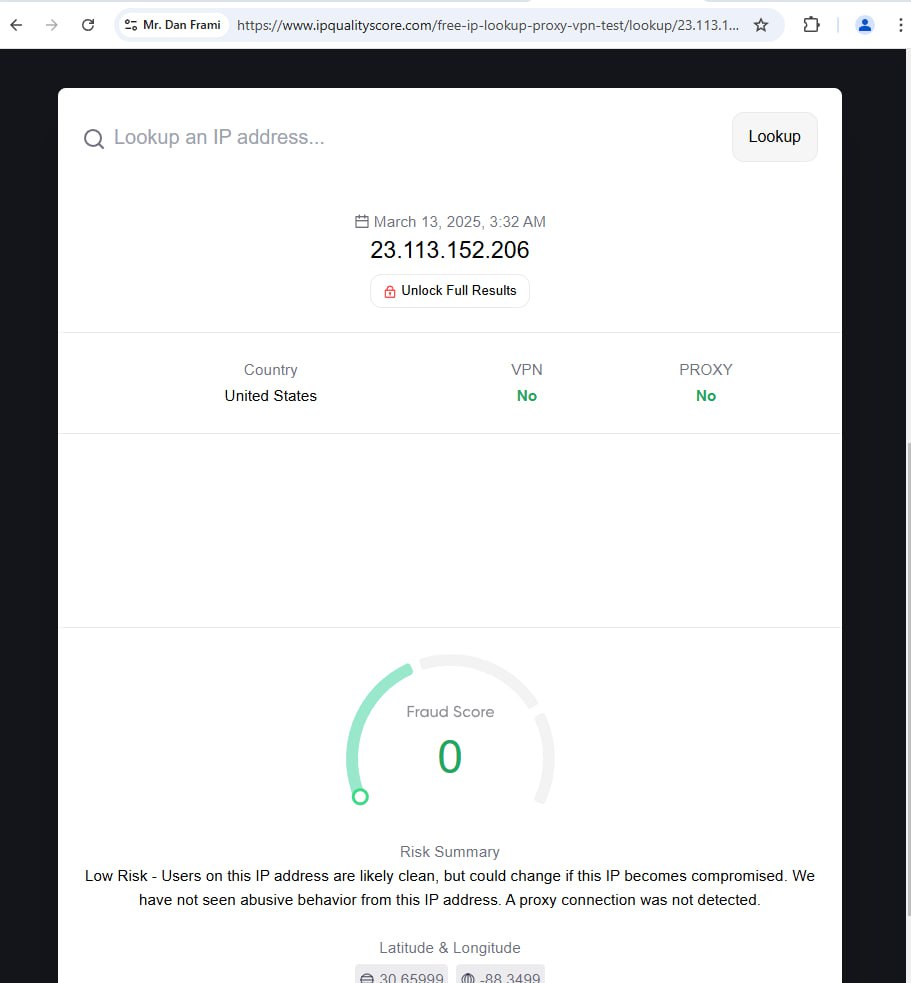
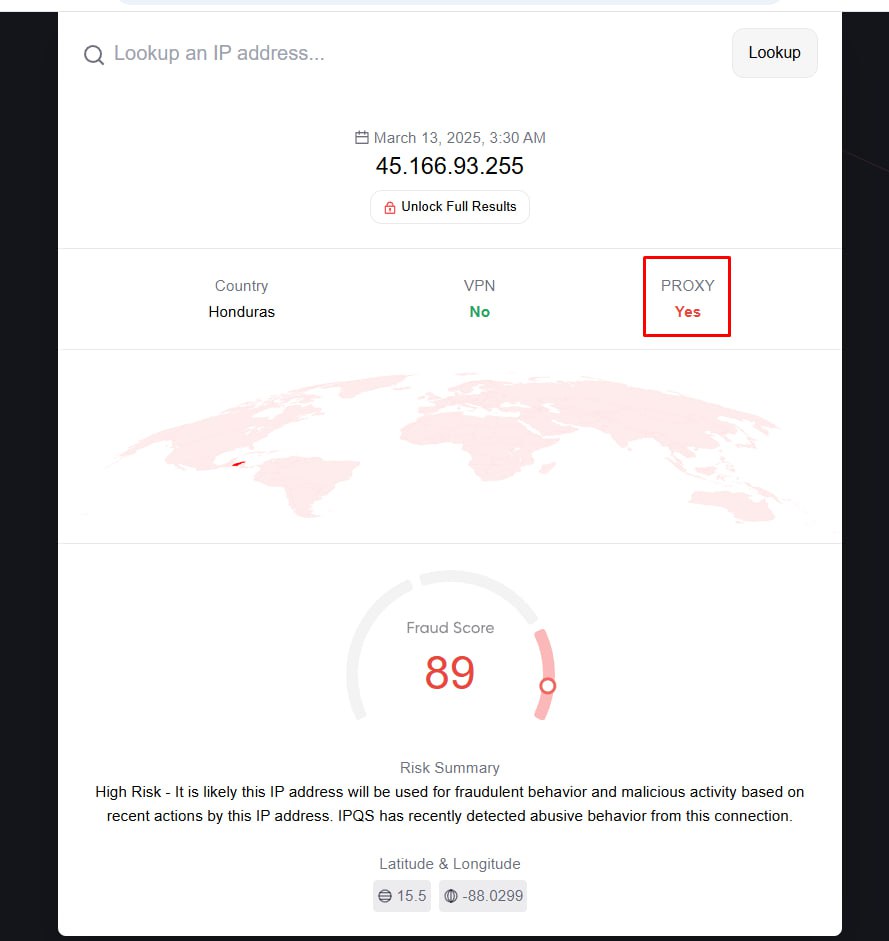
Step 2: Check on Other Reputable Sites: Use other trusted proxy-checking websites like Pixelscan, Browserscan, or IPQualityScore. If the results from these sites indicate you’re using this type of proxy, it’s best to discard it. If it shows “No proxy,” then it’s safe to use.
In general, “clean” proxies tend to be a bit more expensive, but don’t try to save too much by using lower-quality options like datacenter proxies or shared proxies. If the first security check reveals that you’re using a proxy, no matter how good the proxy information or behavior may be, your account is at high risk of being flagged. No ordinary user would use a proxy, so this is an immediate red flag.
Step 3: Combine a “Good” Proxy with High-Quality Emulation Software
Combining a “good” proxy with quality browser emulation software like Anti Dolphin, AdsPower, or Hidemium is an important step to enhance security and reduce the risk of detection when managing accounts. These tools not only help conceal technical traces (such as IP leaks and fingerprints) but also simulate user behavior more naturally. Here’s why they’re essential:
Why You Need Quality Emulation Software
TikTok (and other major platforms) not only checks IP addresses but also analyzes browser fingerprints and user behavior. Without using good emulation software, factors such as:
- WebRTC leak: Your real IP can be exposed through WebRTC.
- Canvas fingerprinting: Hardware fingerprints from how the browser renders graphics.
- User-Agent: Browser information that doesn’t match the device.
- Cookies/Tracking: Linked accounts if shared environments are used.
These factors can make the platform suspicious and lead to account bans. Software like Anti Dolphin, AdsPower, and Hidemium are designed to resolve these issues and prevent detection.