Accessing blocked websites is no longer difficult if you know how to properly use a Proxy. This is considered one of the most optimal solutions to bypass internet restrictions while maintaining privacy and personal data security. Let Hidemium walk you through 3 easy-to-apply Proxy methods for firewall circumvention!

1. Use web-based Proxy services
Proxy websites act as intermediaries that help hide your identity while browsing. When accessing a site through a proxy, your connection is routed through a third-party server. As a result, your ISP only sees the proxy site, not the actual destination site.
Popular Proxy sites include: proxy.org, proxysite.com, kproxy.com, 4everproxy.com, teleport.to, timetohide.me
Kproxy, in particular, is highly rated for its stable speed and user-friendly interface.
2. Manually configure Proxy settings in your web browser
Besides using proxy websites, you can also manually set up a proxy in your browser for better control and optimized browsing experience.
Steps to set up Proxy in Chrome:
Step 1: Go to ProxyNova, choose a low-latency IP, and copy the Proxy IP and Port.
Step 2: Open Google Chrome, click the three-dot icon (top right), and go to Settings.
Step 3: Under “System,” select “Open your computer’s proxy settings.”
Step 4: In “Manual proxy setup,” enable “Use a proxy server,” paste the Proxy IP and Port, and click Save.
With just a few clicks, you can easily bypass firewalls without needing additional software.
>>> Learn more: How to Quickly and Accurately Check Proxy and Firewall
3. Using Proxy in Hidemium Antidetect Browser – A Fast and Secure Solution for Multi-Account Users
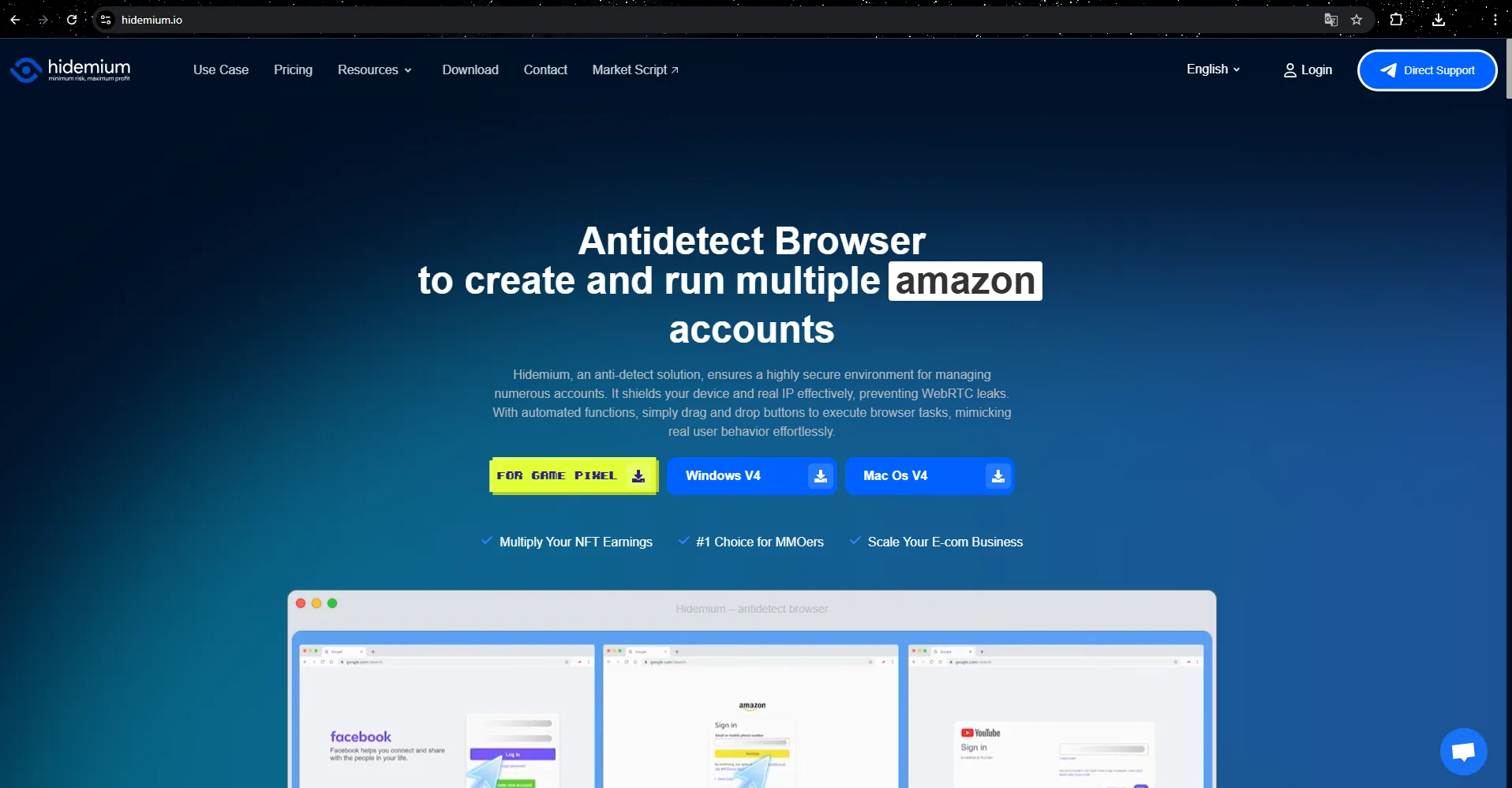
Among various proxy methods for bypassing firewalls, integrating a proxy directly into the Hidemium antidetect browser is currently the most optimal choice. With just a few simple steps, you can configure a proxy for each profile once without needing to reset it every time. The system automatically changes the IP address and browser fingerprint parameters, creating a unique identity for every account.
Especially for MMO (Make Money Online) users, Hidemium is the ideal solution to ensure complete anonymity and protect user identity. Platforms like Google, Facebook, Amazon, eBay, or Etsy won’t be able to track who you are or where you’re accessing from.
Hidemium allows users to simulate multiple working environments, making it easy to manage multiple accounts simultaneously without detection. It hides all original device information and assigns new parameters for each separate profile, ensuring a high level of security.
The Hidemium antidetect browser can modify numerous tracking parameters such as IP address, operating system, browser type, time zone, WebRTC, geolocation, and more. When combined with high-quality proxies, Hidemium creates a “clean” environment, allowing websites to recognize each profile as a new user. This ensures smoother, safer, and more efficient browsing, work, and account management experiences.
>>> Learn more: What is a residential proxy? A tool to protect your online privacy and identity.
4. How to Use Proxy in Hidemium – Step-by-Step Guide
If you’re new to Hidemium, this detailed guide is just for you:
Step 1: Click the Add Profile button

Step 2: Navigate to the Proxy tab

Step 3: Choose the connection type you want for your profile. There are 7 options available:
- Hidemium Proxy
- HTTP Proxy
- Socks 4 Proxy
- Socks 5 Proxy
- SSH
- Free Proxy
- Other Proxy

4.1. HTTP Proxy, Socks 4 Proxy, Socks 5 Proxy
These proxy types follow the same setup:
- Step 1: Enter the Proxy’s IP, Port, Username, and Password (if available) into the second row.
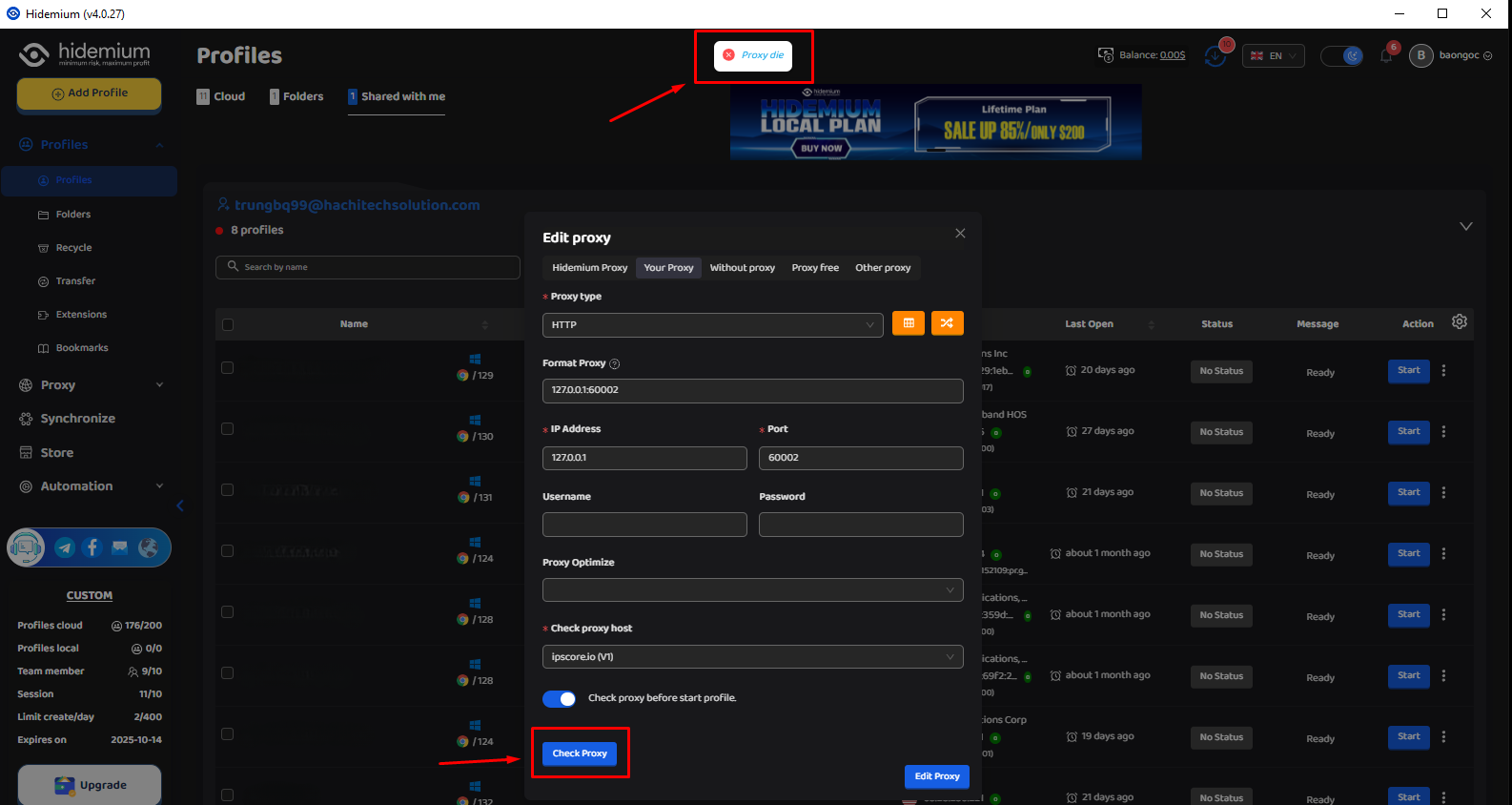
- Step 2: Click Check Proxy to verify if it’s working.
4.2. Hidemium Proxy
- Step 1: After purchasing proxy data from Hidemium, select your Proxy in the name option.
- Step 2: Choose the IP location you want—available by city, state, or country.

4.3. How to Check Proxy in Hidemium
To check if the proxy bypasses the firewall, click Check Proxy. If the proxy is active, information such as IP, time zone, country, region, and city will appear. If it’s not working, a red message “Proxy die” will be displayed.
5. Conclusion
Bypassing firewalls using a proxy is no longer complicated if you apply the right methods. With the 3 simple yet effective techniques shared in this article, you can safely and securely access blocked websites.
Depending on your needs—browsing, working, or managing multiple accounts—choose the most suitable tool to optimize your internet experience. If privacy and security are your priorities, consider smart proxy-integrated solutions like the Hidemium Antidetect Browser. Remember: a good proxy not only helps bypass firewalls but also shields your digital identity online.