1. Proxy vs VPN: What’s the Difference?
To better understand how proxies and VPNs differ, here’s a quick comparison:
| Feature | Proxy | VPN |
|---|---|---|
| Security | Low – no encryption | High – encrypts all data traffic |
| Privacy | Hides IP but not full activity | Hides IP and encrypts user information |
| Speed | Moderate speed | Can be slower due to encryption |
| Scope of Use | Works on individual apps/browsers | Applies to the whole system |
| Cost | Free or low-cost | Usually paid |
| Ease of Use | Requires some manual setup | Easy to use, often plug-and-play |
 1.1 – On Security
A proxy acts as a middleman between your device and the web, masking your IP address. However, it doesn’t encrypt your traffic — making it vulnerable on unsecured networks.
A VPN, on the other hand, uses strong encryption to secure all internet traffic from your device, protecting you from hackers, ISPs, or surveillance.
Bottom line: Both offer security, but VPNs provide much more comprehensive protection.
 1.2 – On Privacy
Proxies can hide your IP, but your online activity is still exposed — especially if the proxy provider logs your browsing history.
VPNs offer full anonymity, encrypting all transmitted data and shielding you even from your internet service provider.
Note: Be cautious with free VPNs — some may log or sell user data. Choose reputable providers.
 1.3 – On Speed
Since proxies don’t encrypt data, they tend to offer faster speeds — ideal for casual browsing or streaming. However, free proxies often suffer from overcrowding, leading to unstable connections.
VPNs may slow down your connection slightly due to encryption, but premium services are usually optimized enough that most users won’t notice the difference.

 2. A Quick Overview of Proxies
When it comes to accessing the internet via an intermediary server, proxies are a familiar tool. But what exactly is a proxy server, and what are its pros and cons?
 2.1 What Is a Proxy Server?
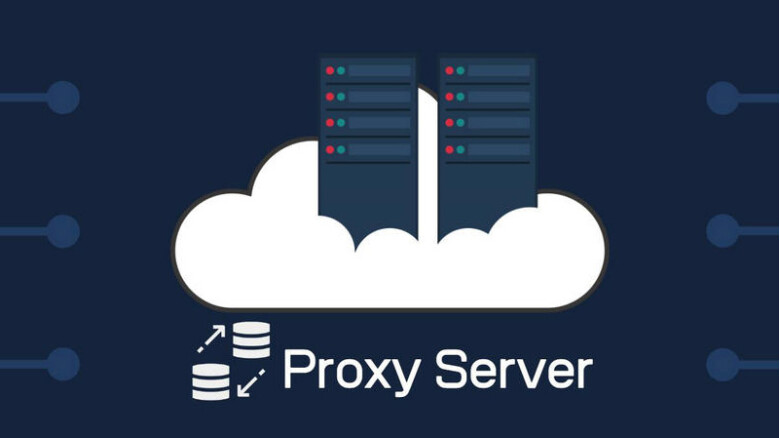
A proxy acts as a go-between for your device and the internet. When you visit a website through a proxy, your request is routed through the proxy server before reaching its destination. This masks your real IP address, making it appear as if you’re browsing from another location.
 2.2 Types of Proxy Servers
There are several types of proxies, each tailored for specific use cases:
- HTTP Proxy: Designed for web browsing, content filtering, and caching.
- SOCKS Proxy: Supports multiple protocols — useful for email, torrenting, and chat apps.
- Transparent Proxy: Used in controlled environments (e.g. schools or workplaces) to monitor or restrict access.
- Anonymous Proxy: Hides your IP and identity more effectively, offering greater privacy.
 2.3 Pros & Cons of Proxy Servers
 Pros:
Pros:
- Access blocked content: Bypass geo-restrictions to reach otherwise unavailable sites.
- Faster browsing: Some proxies cache websites to improve load times.
- Simple setup: Easy to configure, even for non-technical users.
 Cons:
Cons:
- No encryption: Data is exposed, making it vulnerable to interception.
- Limited protection: Works only for the application it’s configured with (e.g., one browser).
- Unstable speeds: Free proxies can become overloaded, leading to performance drops.
3. A Closer Look at VPNs
While proxies are a simple way to change your IP address, VPNs (Virtual Private Networks) offer a much higher level of security and privacy.
 3.1 What Is a VPN?
A VPN creates a secure, encrypted connection between your device and the internet. All the data you send and receive travels through a protected “tunnel,” shielding it from third parties — including hackers and even your Internet Service Provider (ISP).
 3.2 Types of VPNs
VPNs come in several types, each serving different needs:
- Remote Access VPN: Great for remote workers or users looking for security on public Wi-Fi.
- Site-to-Site VPN: Connects two networks securely — commonly used between company branches.
- Client-Based VPN: Suitable for both individuals and organizations needing high-level security.
- Cloud VPN: Designed for businesses using cloud-based services.
3.3 Pros & Cons of VPNs
Advantages:
- Strong security: All data is encrypted, protecting you from cyber threats, especially on public networks.
- Full privacy: Your IP and internet activity are hidden from ISPs and other trackers.
- Access to global content: Easily bypass geo-blocks to access restricted websites and services.
- System-wide protection: Covers your entire device, not just a single app.
Disadvantages:
- Cost: Premium VPNs often require a monthly or yearly subscription.
- Slightly reduced speed: Encryption can slow down your connection — though top-tier VPNs minimize this.
- Free VPN risks: Some free VPNs may log or sell your data, and often lack proper security.
 Final Thought
Both proxy and VPN tools can enhance your online experience — but they serve different purposes. Carefully consider your specific needs: if you just want a quick IP change, a proxy may suffice. But for full encryption, privacy, and system-wide security, a VPN is the better choice.